
Renewed or replaced your Emirates ID? Your Etisalat SIM registration still points at the old card — and Etisalat suspends lines whose registered ID has expired. Updating takes five minutes in the My Etisalat app with UAE Pass, and this guide walks through every method: app, website and store.
Why You Must Update (What Happens If You Don’t)
UAE telecom law requires every mobile line to be registered against a valid Emirates ID. When your ID expires or is replaced:
- Etisalat sends reminder SMS messages asking you to update your registration.
- Ignore them and your line is suspended — first outgoing services, then the line entirely.
- A suspended line can’t receive OTPs, which locks you out of banking and government apps that verify by SMS.
Method 1: My Etisalat App (Fastest)
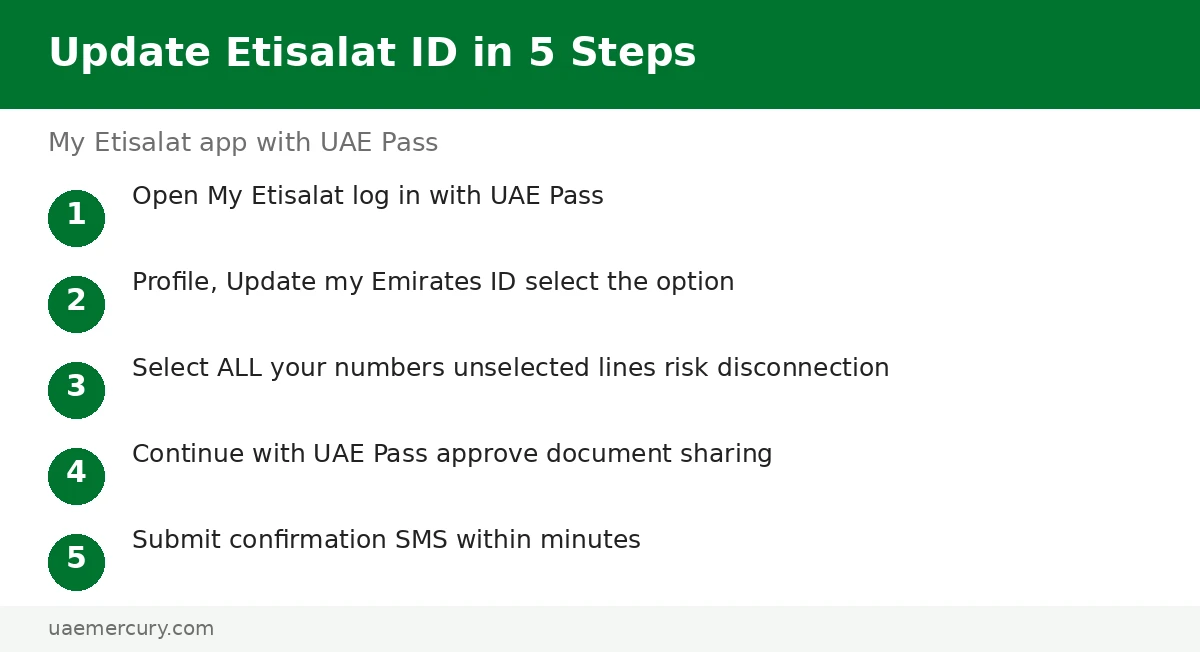
- Open the My Etisalat app and log in with UAE Pass (your renewed ID must already be linked in UAE Pass).
- Go to Profile → “Update my Emirates ID”.
- Select the mobile numbers to update — ⚠️ any number you don’t select may be disconnected, so tick every line you own.
- Tap Continue with UAE Pass and approve the document sharing request.
- Submit — confirmation SMS messages arrive for each updated number, usually within minutes.
Method 2: Etisalat Website
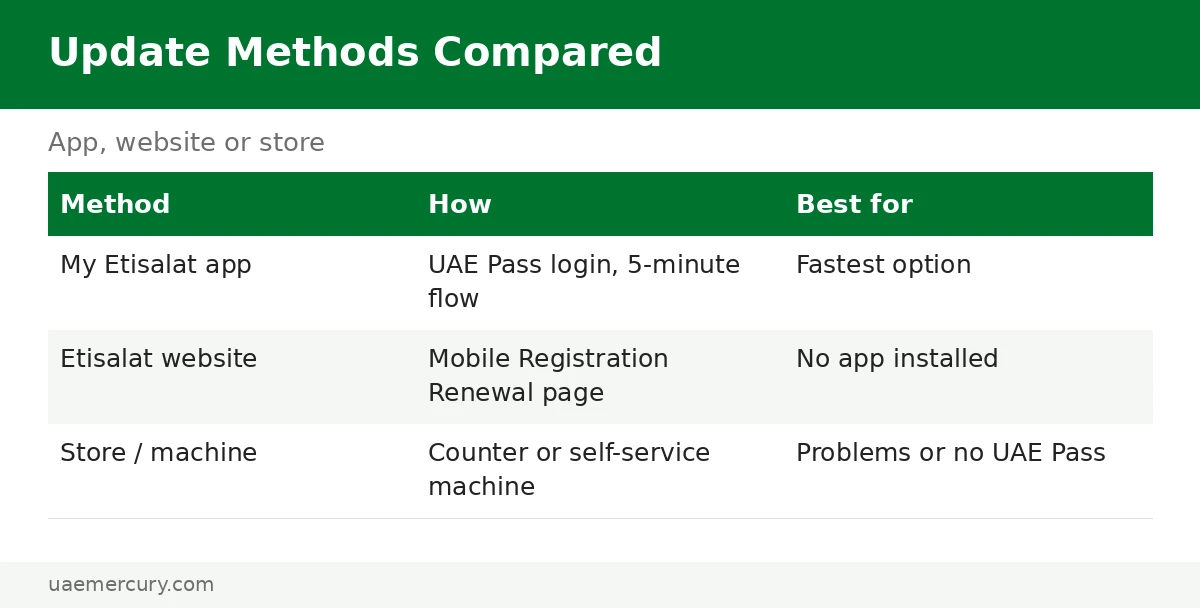
- Go to the Etisalat website → Mobile Registration Renewal.
- Log in with UAE Pass.
- Follow the same flow: select numbers, approve document sharing, submit.
- Wait for the confirmation SMS per number.
Method 3: Etisalat Store or Payment Machine
Visit any Etisalat outlet with your new Emirates ID (physical card or digital ID) — staff update the registration at the counter. Self-service payment machines in malls also offer the ID-update flow. Bring the physical card if you have it; it is the fastest verification.
du and Virgin Mobile Users
- du: du app → “Update ID” → Continue with UAE Pass — same document-sharing flow.
- Virgin Mobile: app → “Update your ID” → scan your new card when prompted.
The same suspension rules apply on all networks — a valid registered ID is a legal requirement, not an Etisalat quirk.
Troubleshooting
- UAE Pass doesn’t show the new ID — your renewed digital ID syncs automatically, but allow a day after issuance; log out and back into UAE Pass.
- “Number not eligible” — the line may be registered under a different ID (e.g. an old passport registration); visit a store with both documents.
- Line already suspended — update the ID first via the app/website; service usually restores within hours. If not, call Etisalat on 101.
After the Update: Verifying It Worked
- Watch for the confirmation SMS — one per updated number, usually within minutes of submitting.
- Check in the app: My Etisalat → Profile should now show the new ID expiry date against your numbers.
- Test the line: make a call and use mobile data — if a suspended line doesn’t restore within a few hours, call Etisalat on 101.
- Re-check after 24 hours if you updated multiple numbers — each processes separately.
Watch: Video Walkthrough
A visual run-through of the process:
Frequently Asked Questions
How do I update my Emirates ID on the Etisalat app?
Open My Etisalat → log in with UAE Pass → Profile → “Update my Emirates ID” → select all your numbers → Continue with UAE Pass → approve document sharing → submit. Confirmation SMS messages follow within minutes.
What happens if I don’t update my Emirates ID with Etisalat?
Etisalat sends reminder SMS messages, then suspends the line — first outgoing services, eventually the whole line. A suspended line can’t receive OTPs, locking you out of banking and government apps.
Can I update my Etisalat ID registration online without the app?
Yes — the Etisalat website’s Mobile Registration Renewal page offers the same UAE Pass flow. Alternatively, visit any Etisalat store or self-service payment machine with your new ID.
Do I need UAE Pass to update my Emirates ID on Etisalat?
For the app and website methods, yes — UAE Pass shares your renewed ID document with Etisalat securely. Without UAE Pass, use the in-store method with your physical or digital ID.
How do I update my Emirates ID on du?
In the du app: “Update ID” → Continue with UAE Pass, following the same document-sharing flow. Virgin Mobile users: app → “Update your ID” → scan the new card.
Why is my Etisalat SIM blocked after Emirates ID renewal?
Because the SIM is still registered against your expired ID. Update the registration via the app, website or store — service is typically restored within hours of the update.
How long does the Etisalat ID update take?
The update itself takes about five minutes; confirmation SMS messages usually arrive within minutes. If your line was already suspended, allow a few hours for full restoration.
How do I confirm my Etisalat ID update worked?
Look for the confirmation SMS per number (usually within minutes), then check My Etisalat → Profile — the new ID expiry date should show against your numbers. Make a test call to confirm the line is fully active.
My line is still suspended after updating — what now?
Allow a few hours for restoration after the update. If it persists, call Etisalat on 101 or visit a store with your new Emirates ID — staff can manually refresh the registration at the counter.
Emirates ID guides: Complete Guide · Renewal · Digital ID · Lost Card Replacement
Pingback: Emirates ID UAE: The Complete Guide (2026)