
Applied for your Emirates ID and wondering where it is? Emirates ID tracking lets you follow your application from submission to printing to courier delivery — all with one reference number: your PRAN. The whole check takes a minute on the ICP portal or the UAEICP app, and it is free.
This guide explains what the PRAN is, how to track step by step, what each status means, how long each stage takes, and what to do if your card seems stuck.
What Is a PRAN Number?
PRAN stands for Pre-Registration Application Number. It is the transaction reference assigned when your Emirates ID application is submitted — printed on your application receipt and sent to you by SMS.
- Use the PRAN to track a new application before the card number exists.
- Use the 15-digit Emirates ID number (784-…) to track renewals and replacements.
How to Track: Step by Step
On icp.gov.ae
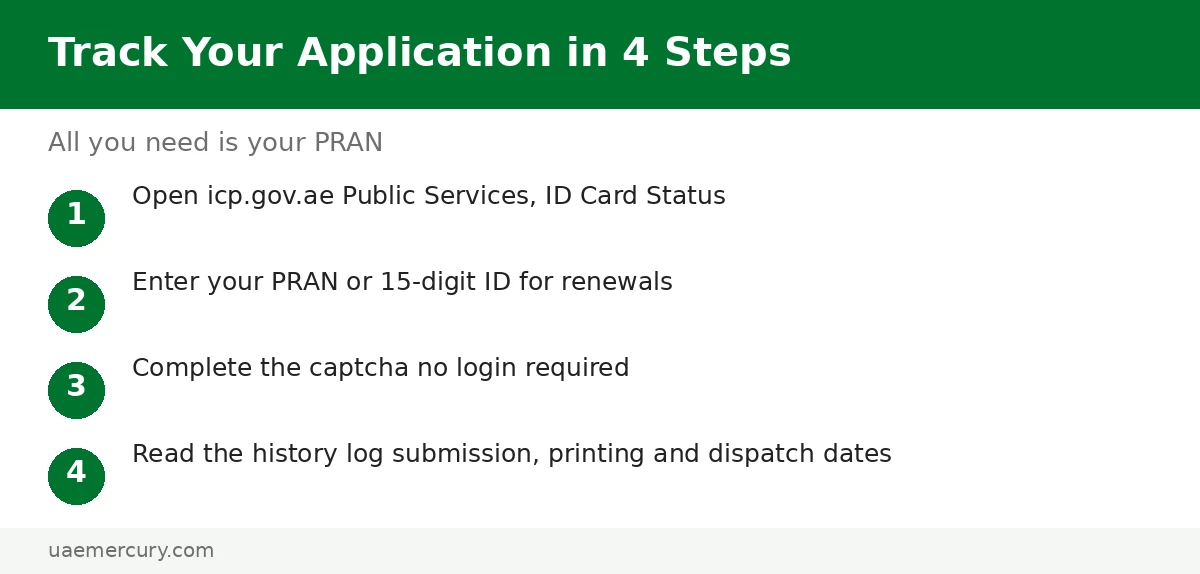
- Go to icp.gov.ae → Public Services → ID Card Status (also labelled Application Tracking).
- Enter your PRAN (new applications) or Emirates ID number (renewals/replacements).
- Complete the captcha and submit — no login required.
- Read your status plus the Application History Log showing submission, printing and dispatch dates.
On the UAEICP app
- Open the UAEICP app and log in with UAE Pass.
- Go to Public Services → Application Tracking.
- Enter your request/PRAN number for the live status.
Tracking Statuses Explained
| Status | What it means | Typical wait from here |
|---|---|---|
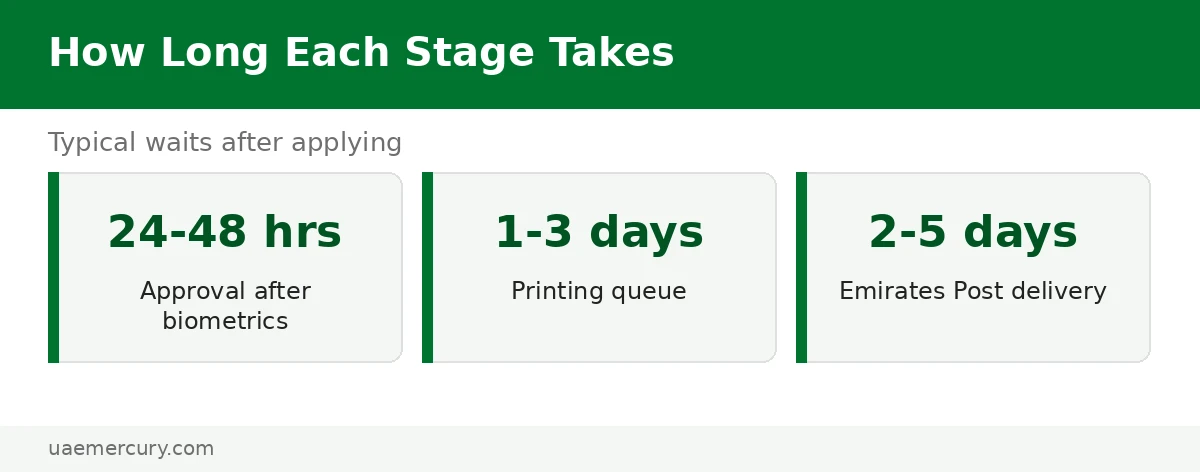
| Pending | Application received, under review | 24–48 hours to approval |
| Approved | Cleared; queued for printing | 1–3 working days |
| Printed / Issued | Card printed, handed to Emirates Post | 2–5 working days to your door |
| Dispatched | With the courier | 1–2 working days |
| Rejected | Refused — reason shown in the log | Fix and reapply |
After Printing: Delivery and Collection
Printed cards travel via Emirates Post. Keep your phone on — the courier calls before delivery. If delivery fails, the card waits at the post office: collect it within 15 days or it is returned to ICP and you will need to request re-dispatch.
Moving house during the wait? Update your delivery address through ICP before dispatch, or arrange collection from the post office branch holding your card.
Card Stuck? Troubleshooting
- Stuck on “Pending” for a week — usually a document or photo issue; call 600 522 222 with your PRAN ready.
- “Rejected” — the log states the reason; the most common is a non-compliant photo. Fix it per the photo requirements and reapply.
- Delivered but not received — check with Emirates Post using the dispatch reference, then your building reception/security.
- Need it urgently — the Fawri express service (+AED 150 at select centres) prints within 24 hours; see fees. Meanwhile the digital Emirates ID works for most needs.
Frequently Asked Questions
How do I track my Emirates ID application?
On icp.gov.ae → ID Card Status, enter your PRAN (new applications) or Emirates ID number (renewals), complete the captcha and submit — no login needed. The UAEICP app offers the same under Public Services → Application Tracking.
What is a PRAN number?
The Pre-Registration Application Number — your application transaction reference, printed on the receipt and sent by SMS when you apply. It tracks new applications before the 15-digit card number is assigned.
How long does an Emirates ID take after printing?
After the status shows Printed/Issued, Emirates Post delivery typically takes 2–5 working days. Keep your phone reachable for the courier’s call and collect from the post office within 15 days if delivery is missed.
Can I track my Emirates ID without the application number?
For renewals, yes — use the 15-digit Emirates ID number. For new applications without the PRAN, retrieve it from the ICP SMS, your email receipt, or the typing centre; the helpline 600 522 222 can also help.
Is Emirates ID tracking on ICP or GDRFA?
Always ICP — Emirates ID tracking, status, renewal and replacement are federal ICP services in all seven emirates. GDRFA handles Dubai visas only.
What should I do if my Emirates ID application is rejected?
Read the rejection reason in the application history log — it is most often a photo that doesn’t meet specs. Correct the issue (see photo requirements) and submit a fresh application.
How long does Emirates ID delivery take in total?
Roughly 1–2 weeks for new cards (24–48h approval + printing + 5–10 working days delivery) and about a week for renewals. Fawri express (+AED 150) cuts printing to 24 hours at select centres.
Emirates ID guides: Complete Guide · How to Apply · Status Check · Fees 2026 · Centres & Booking