
Your residence visa is the legal foundation of life in the Emirates. Without it, your Emirates ID renewal stalls, your labour contract loses its basis, and daily life — from banking to tenancy — starts to unravel. Yet many residents only discover a problem when a renewal application is rejected or an overstay fine quietly appears on their record.
The good news: a UAE residence visa status check takes under two minutes, is completely free on the official portals, and shows your visa’s exact expiry date, sponsor details, and file number. The only catch is knowing which of the two official portals to use: ICP Smart Services for visas issued in Abu Dhabi, Sharjah, Ajman, Umm Al Quwain, Ras Al Khaimah, and Fujairah — and the GDRFA portal for Dubai-issued visas. Using the wrong portal simply returns no record, so getting this right is the whole trick.
This guide walks you through both official methods step by step, explains the grace periods and overstay fines for residence visas, shows how to pay a fine safely, and explains how your visa status connects to your Emirates ID renewal and MOHRE labour contract.
Method 1: Check residence visa status on ICP Smart Services (all emirates except Dubai)
The Federal Authority for Identity, Citizenship, Customs & Port Security (ICP) handles immigration for six of the seven emirates. If your residence visa was issued anywhere other than Dubai, this is your portal. You can run the check on the website or through the UAEICP mobile app; signing in with UAE Pass keeps your details saved for next time.
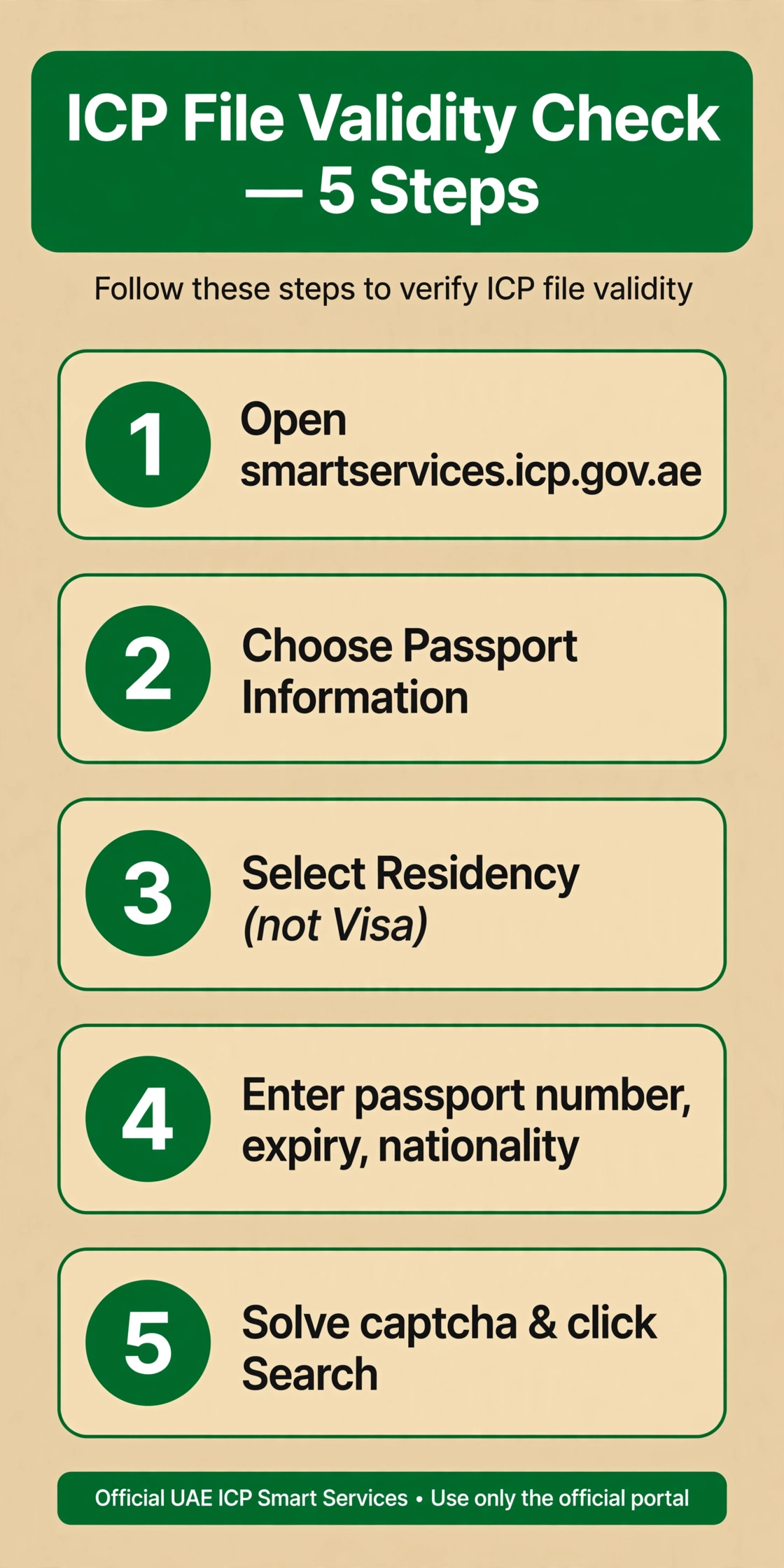
- Open the ICP Smart Services portal at smartservices.icp.gov.ae. The service you want is called File Validity.
- Choose “Passport Information” as the search option. (The alternative, “File Number”, works if you already know your file number.)
- Select “Residency” as the file type — not “Visa”. This is the mistake most residents make: “Visa” shows entry permits and visit visas, while residence permits are listed under “Residency”. For checking a Dubai visit visa, the “Visa” option is correct — but not here.
- Enter your passport number, passport expiry date, and nationality exactly as printed in your passport.
- Complete the captcha (“I’m not a robot”) and click Search.
Your residency file appears with its status, expiry date, and sponsor details. Tip: write down the file number shown on the result screen — you will need it for renewals and for the file-number search option in future checks.
Method 2: Check a Dubai-issued residence visa on the GDRFA portal
Dubai runs its own immigration authority, the General Directorate of Residency and Foreigners Affairs (GDRFA), so Dubai-issued residence visas never appear on the ICP portal. Use this method instead:
- Open the GDRFA portal at gdrfad.gov.ae and select the “Visa Status” service. Prefer an app? The DubaiNow app shows your visa status and any fines in one place.
- Search by file number or Emirates ID — these are the two accepted lookup options.
- Enter the remaining details the form asks for and submit.
- Review your status and expiry date on the result screen.
Stuck at any step? Call the Amer helpline on 800 5111 — it is the official GDRFA support line for Dubai immigration queries, including residence visa status problems.
Residence visa grace periods and overstay fines
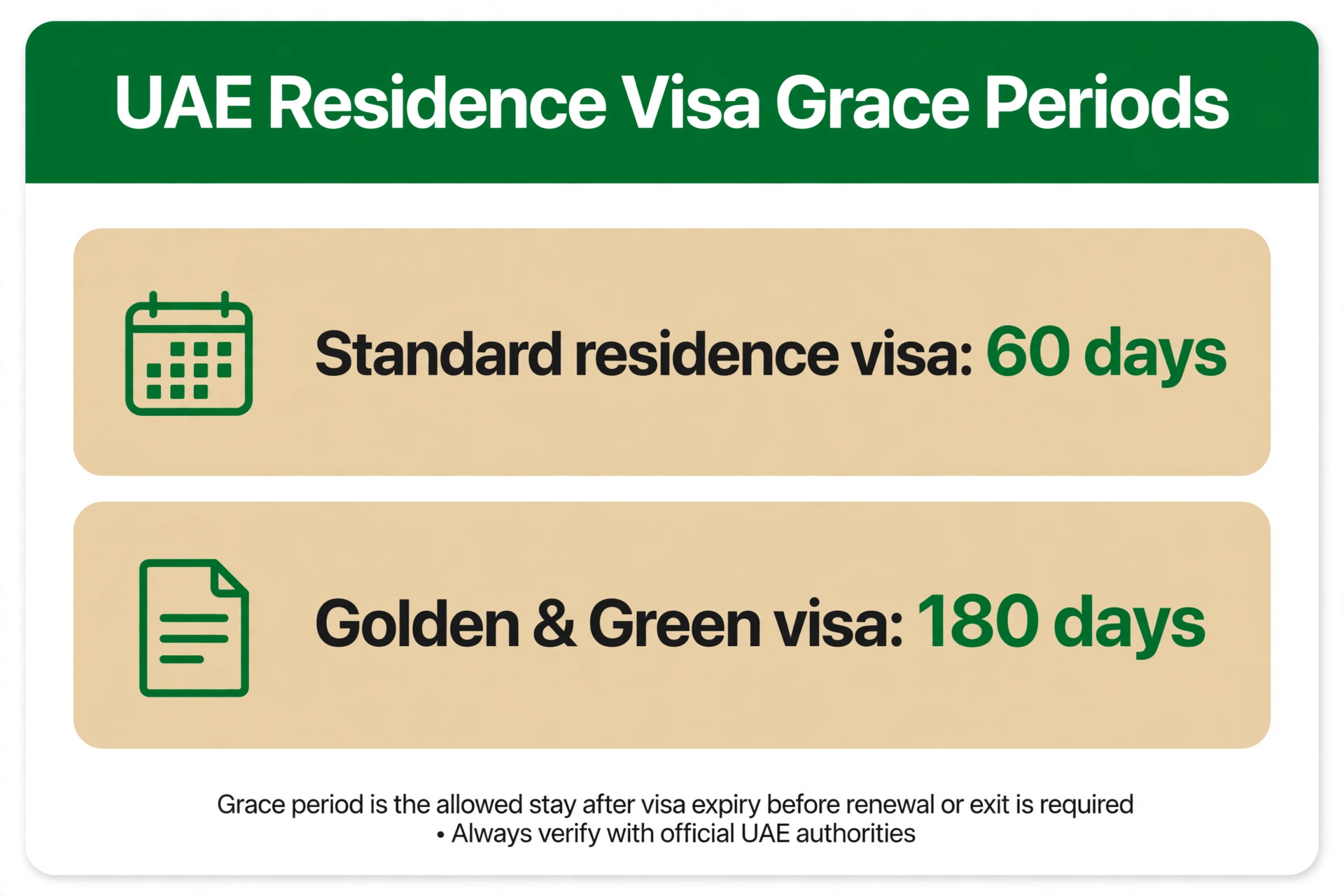
Once a residence visa expires or is cancelled, you do not become an overstayer instantly. The UAE grants a grace period to renew, switch to a new sponsor, or leave the country. How long that window lasts depends on the visa type:
| Visa type | Grace period |
|---|---|
| Standard residence visa (employment, family, freelance, investor) | 60 days |
| Golden Visa | 180 days |
| Green Visa | 180 days |
Miss the grace period and the standard overstay fine is AED 50 per day. That adds up fast — a single month of overstay costs AED 1,500, which is why a quick status check now is worth far more than a fine later. For a deeper dive into fines, see our guide on the UAE visa expiry and overstay fine check.
How to pay a residence visa overstay fine
- ICP-issued visas: on ICP Smart Services, use the “Payment of visa or residence violation fine” service.
- Dubai-issued visas: use the GDRFA Fines Inquiry service (also visible in the DubaiNow app).
- Pay online and download the digital receipt. Then immediately adjust your status — start the renewal, apply for a new visa, or exit the country before further fines accumulate.
Emirates ID renewal and your MOHRE labour contract
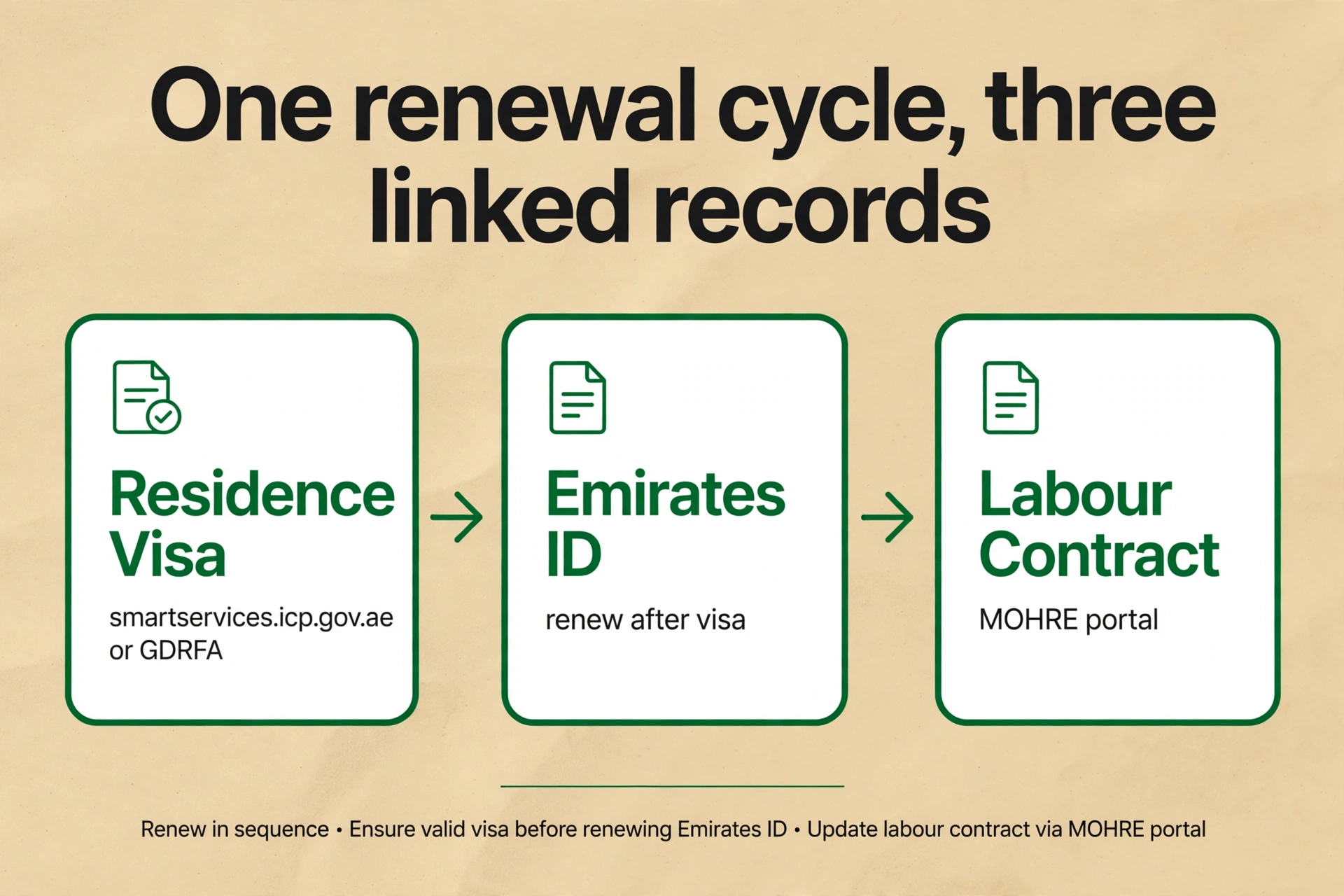
Your residence visa does not live in isolation. It sits at the centre of a linked chain: residence visa → Emirates ID → labour contract. The visa is renewed first, the Emirates ID follows the visa, and the labour contract recorded with MOHRE reflects the employment behind the visa. The MOHRE portal can show your labour card information alongside, so checking both gives you the complete picture.
The standard, safest flow is to run a UAE residence visa status check before starting your Emirates ID renewal. An expired or cancelled visa will silently sink the ID renewal application — verifying first saves you a wasted trip and a rejected file. If you are still waiting on your first residence visa to be issued, check your UAE entry permit status instead, since the residency check only works once the permit exists.
And on a practical note: your Emirates ID is also what you tap with on public transport every day. Keeping it — and the Nol card balance linked to your commute — valid means one less queue in your life. When the card runs low, a quick Nol card recharge takes seconds.
Watch: check your UAE residence visa status in minutes
Frequently Asked Questions
Is it free to check my UAE residence visa status online?
Yes. A uae residence visa status check is completely free on both official portals — ICP Smart Services and the GDRFA portal. Any third-party site charging a fee for a basic status lookup is not official.
Which portal should I use — ICP or GDRFA?
It depends on where your visa was issued. Use the GDRFA portal (gdrfad.gov.ae) for Dubai-issued visas, and ICP Smart Services (smartservices.icp.gov.ae) for visas issued in Abu Dhabi, Sharjah, Ajman, Umm Al Quwain, Ras Al Khaimah, or Fujairah.
What details do I need for the check?
On ICP, you need your passport number, passport expiry date, and nationality — or your file number as an alternative. On GDRFA, you search by file number or Emirates ID.
Should I select “Visa” or “Residency” on the ICP portal?
Select “Residency” for a residence visa status check. “Visa” on ICP shows entry permits and visit visas, so choosing it for a residence permit returns nothing and looks like an error.
How long is the grace period after my residence visa expires?
The standard grace period is 60 days after expiry or cancellation. Golden Visa and Green Visa holders get 180 days. Use the window to renew, change sponsor, or exit the UAE.
How much is the overstay fine for a residence visa?
The standard current rate is AED 50 per day of overstay. Pay through the ICP “Payment of visa or residence violation fine” service or the GDRFA Fines Inquiry service, and keep the digital receipt.
Does paying the overstay fine extend my stay?
No. Paying the fine only settles the penalty — it does not legalise your stay. You must still renew your visa, adjust your status, or depart the UAE.
Why does the portal show no record for my visa?
Most often it is one of three things: you are on the wrong portal (ICP vs GDRFA), a typo in the passport number or expiry date, or a very recently issued visa that has not synced yet. If none of those fit, call ICP on 600 52 2222 or GDRFA Amer on 800 5111.
Should I check my visa status before renewing my Emirates ID?
Yes — that is the standard flow. Your residence visa must be valid before the Emirates ID renewal can succeed, so a quick uae residence visa status check first avoids a rejected application.
Keep exploring the visa status cluster: checking a Dubai visit visa status, running a UAE visa expiry and overstay fine check, or tracking a UAE entry permit status — plus everyday essentials like the Nol card balance check and Nol card recharge.
Pingback: How to Apply for Emirates ID in 2026
Pingback: Emirates ID Renewal Online: Steps & Fees
Pingback: Emirates ID Status Check Online (2026)