
No passport at hand? No problem. Your 15-digit Emirates ID number is enough to check your UAE visa status by Emirates ID — no passport number, expiry date or file number needed. The ICP Smart Services “File Validity” service accepts your Emirates ID as a search identifier, and GDRFA Dubai lets you search by Emirates ID for Dubai-issued visas.
This guide walks through the exact steps for both portals, explains how your visa file number works, and covers the common reasons an Emirates ID search returns nothing. Both checks are free on the official portals.
Why Check by Emirates ID?
- No passport needed — handy when your passport is at the embassy, with your employer, or simply in a drawer at home.
- Fewer fields, fewer typos — one number instead of passport number + expiry date + nationality.
- Works for residents — your Emirates ID number is permanently linked to your immigration file.
- Ban and fine checks too — the same ID number powers travel ban checks on the Dubai Police app and fine inquiries.
Method 1: ICP File Validity (All Emirates Except Dubai)
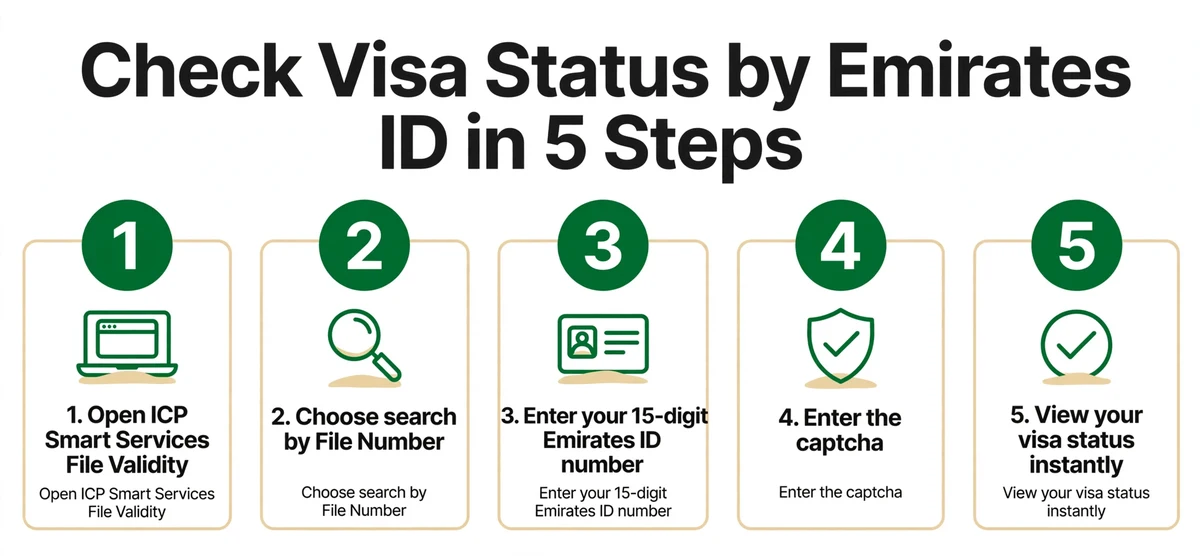
- Go to smartservices.icp.gov.ae and open Public Services → File Validity.
- Under “Search By”, choose File Number.
- Select your record type: Residency (residence visa) or Visa (entry/visit permit).
- For the file type, choose the Emirates ID Number option.
- Enter your 15-digit Emirates ID number (the 784-XXXX-XXXXXXX-X number on the front of your card — enter it without dashes if the field asks).
- Tick the captcha and click Search.
Your visa details appear: file number, visa type, status, issue and expiry dates. For the full portal walkthrough, see our ICP Smart Services visa status guide.
Method 2: GDRFA (Dubai-Issued Visas)
- Go to gdrfad.gov.ae and select Visa Status.
- Choose the Emirates ID search option.
- Enter your 15-digit Emirates ID number (and any other requested fields), complete the captcha.
- Click Submit to view your status.
Our GDRFA Dubai visa status check guide has the full Dubai walkthrough.
How to Read Your Visa File Number
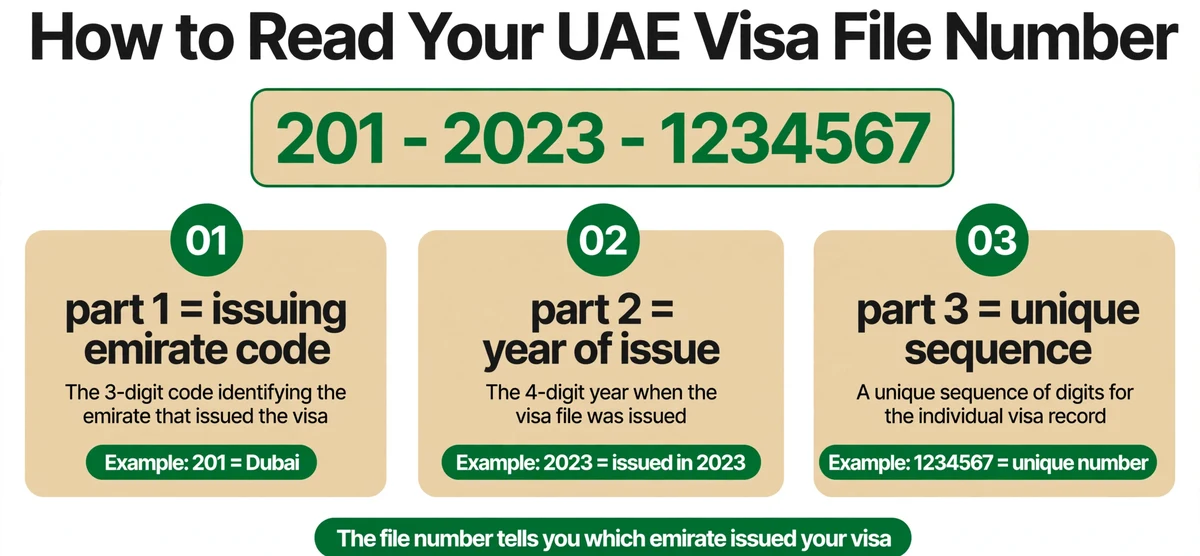
Once your record appears, you’ll see a file number (also called the UID number). It isn’t random — it’s structured in parts:
| Part | Meaning | Example |
|---|---|---|
| First part | Issuing emirate / department code | 201 = Dubai |
| Second part | Year the file was issued | 2023 |
| Third part | Your unique sequence number | 1234567 |
Why does this matter? The emirate code tells you which portal owns your record — handy when you’re unsure whether to use ICP or GDRFA, or when checking a visa cancellation status.
Emirates ID vs Passport Search: Which Is Better?
Both work on ICP File Validity — pick whichever document is closest:
| Emirates ID search | Passport search | |
|---|---|---|
| What you type | One 15-digit number | Passport number + expiry date + nationality |
| Best when | Passport is with your employer, at an embassy, or renewed | You have your passport in hand (or no Emirates ID, e.g. tourists) |
| Typo risk | Low — single field | Higher — three fields must match exactly |
| Shows | Identical result — visa type, status, issue/expiry dates, file number | Identical result |
In practice, residents reach for the Emirates ID method and visitors use the passport method. Either way, the record you get back is the same — and free.
When the Emirates ID Search Returns Nothing
- Wrong portal: Dubai-issued visas live on GDRFA, not ICP. Check your file number’s emirate code.
- Wrong record type: “Residency” vs “Visa” matters on ICP — picking the wrong one returns no record even when it exists.
- Digit errors: the ID has 15 digits; one wrong digit means no match. Type carefully.
- New card, old record: if you just renewed your Emirates ID, the visa record may briefly lag — retry in 24–48 hours.
- Visit visa holders: tourists on short visit visas may not have an Emirates ID at all — use the passport number method instead.
Other Things Your Emirates ID Unlocks
Your Emirates ID number is the master key to your UAE records:
- Visa validity & cancellation — this guide, plus our cancellation status check
- Golden Visa tracking — check your Golden Visa with the same ID
- Travel bans — Dubai Police app checks bans by Emirates ID (ban status guide)
- Fines — overstay and traffic fine inquiries accept the ID number
Last updated: October 2026. Portal menus change — if “File Validity” has moved, use the ICP portal search bar to find it.
Frequently Asked Questions
How do I check my UAE visa status using my Emirates ID number?
Go to ICP Smart Services → File Validity, choose “File Number” search, pick the Emirates ID Number file type, enter your 15-digit ID, complete the captcha and click Search. For Dubai visas, use GDRFA → Visa Status with the Emirates ID option.
Can I check my visa status without my passport?
Yes. Your 15-digit Emirates ID number works as a standalone search identifier on both ICP and GDRFA — no passport number or expiry date required.
What is my UAE visa file number / UID number?
It’s your immigration file reference, structured in parts: emirate code – year of issue – unique sequence (e.g. 201/2023/1234567). It appears on your visa and in File Validity results, and its emirate code tells you whether ICP or GDRFA owns your record.
Why does my Emirates ID show “No Record Found”?
Usually one of four things: wrong portal (Dubai visas are on GDRFA, not ICP), wrong record type (Residency vs Visa), a typo in the 15 digits, or the record is still syncing (retry in 24–48 hours).
Can tourists check visa status by Emirates ID?
No — short-term visit visa holders don’t get an Emirates ID. Tourists should use the passport number method on ICP File Validity instead.
Is the Emirates ID visa status check free?
Yes — on the official ICP and GDRFA portals. Never pay a third-party website to “verify” your visa with your Emirates ID number.
Can I check someone else’s visa status with their Emirates ID?
The portals don’t verify ownership, so technically a valid ID number returns a record — but you should only check your own or your dependents’ records. Misusing someone else’s identity details can have legal consequences.
Keep exploring the UAE visa status cluster: Check Visa Status UAE · GDRFA Dubai Visa Status Check · ICP Smart Services Visa Status · Check by Passport Number · Visa Cancellation Status Check · Golden Visa Status Check · Visa & Travel Ban Status Check
Pingback: UAE Visa & Travel Ban Status Check