
Dubai handles its own immigration separately from the rest of the UAE — so if your visa was issued in Dubai, the federal ICP portal will not show it. The correct place is GDRFA Dubai (General Directorate of Residency and Foreigners Affairs), and the check is free and takes about two minutes.
This guide covers every GDRFA search method, where to find your file or unified number, and what to do when the result surprises you.
Step-by-Step: GDRFA Visa Status Check
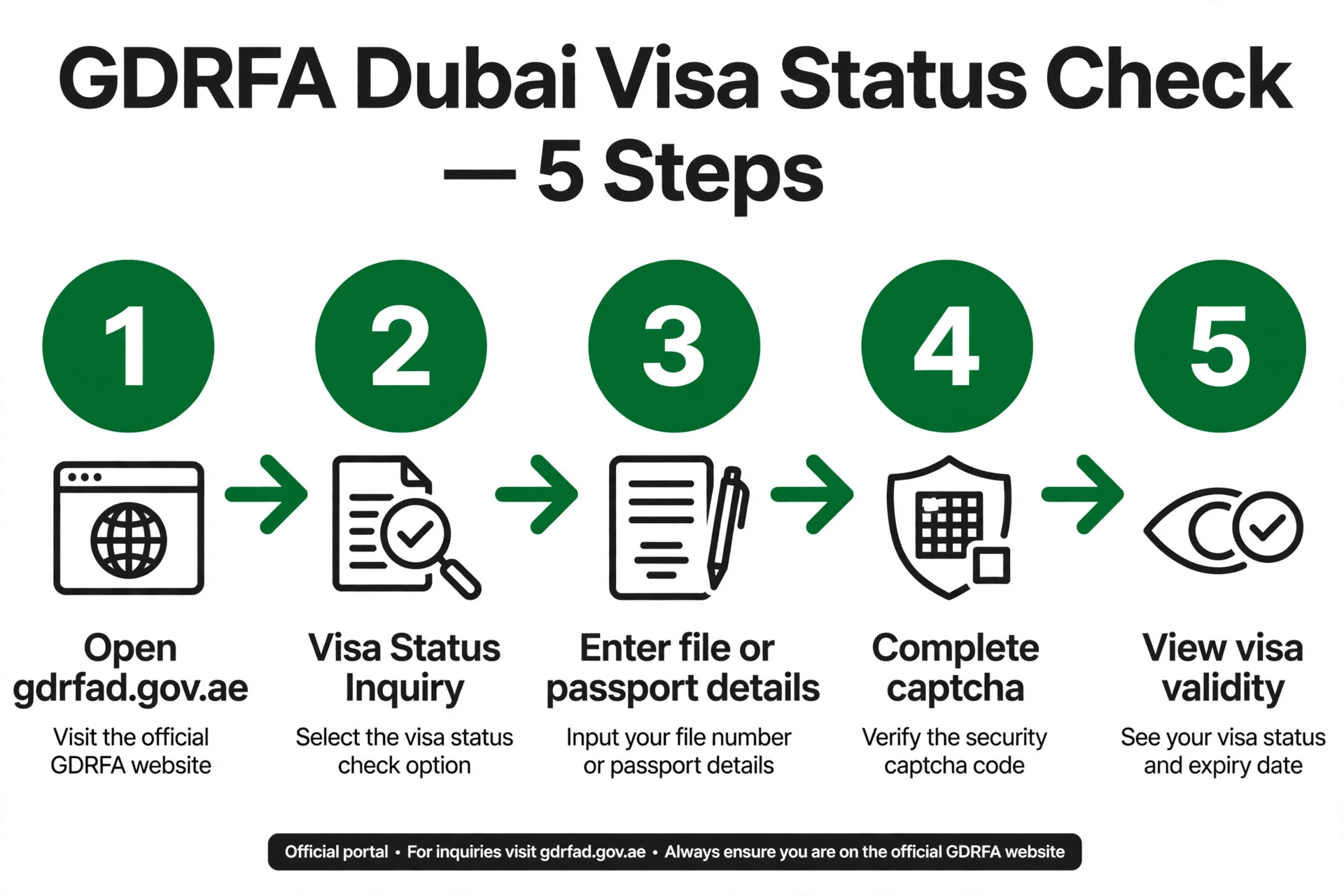
- Open gdrfad.gov.ae — the official GDRFA Dubai smart-services site.
- Select the Visa Status / Visa Status Inquiry service from the homepage or Public Services section.
- Choose your search method (see the options below).
- Enter the required details exactly as they appear on your passport or visa.
- Complete the captcha and click Search — your result appears instantly.
Choose Your Search Method
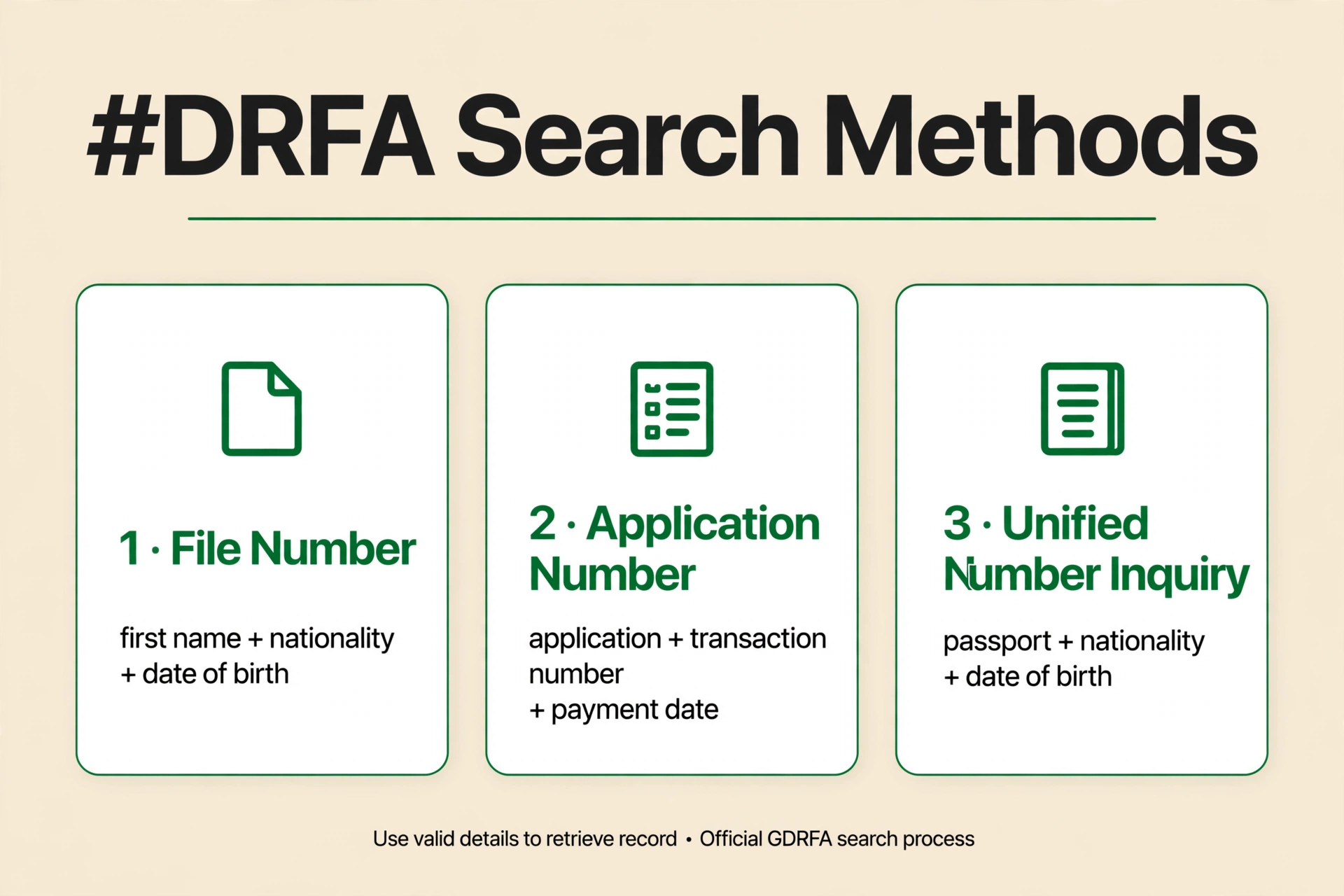
| Method | What you enter | Best for |
|---|---|---|
| File number | File number + first name (as on visa) + nationality + date of birth | Issued visas — the file number is printed on your visa |
| Application number | Application number + transaction number + payment date + first name in English | Recent applications still being processed |
| Passport + date of birth | Passport number + nationality + date of birth | When you have no visa copy — see our passport-number guide |
| Unified Number Inquiry | Passport number + nationality + date of birth + gender | Finding your UAE unified number first |
| Emirates ID | Emirates ID number | Residents with an Emirates ID card |
No login is required for the inquiry tools — but every field must be filled in. For application-number searches, the transaction number and payment date are on the payment receipt issued when the application fee was paid; if an Amer centre, typing centre or employer applied for you, ask them for it.
Understanding Your GDRFA Result
- Issued / Valid — your visa is active. Note the expiry date.
- Approved — immigration has cleared the application but the visa is not yet formally issued. Wait for Issued before travelling.
- Under process / Returned — a pending application; returned means GDRFA needs a correction or document — read the stated reason, fix it, and resubmit. It is not a refusal.
- No record found — check your typing, confirm the visa was Dubai-issued (otherwise use ICP Smart Services), and allow 24–48 hours for brand-new visas to sync.
Also on GDRFA: Check Your Overstay Fines
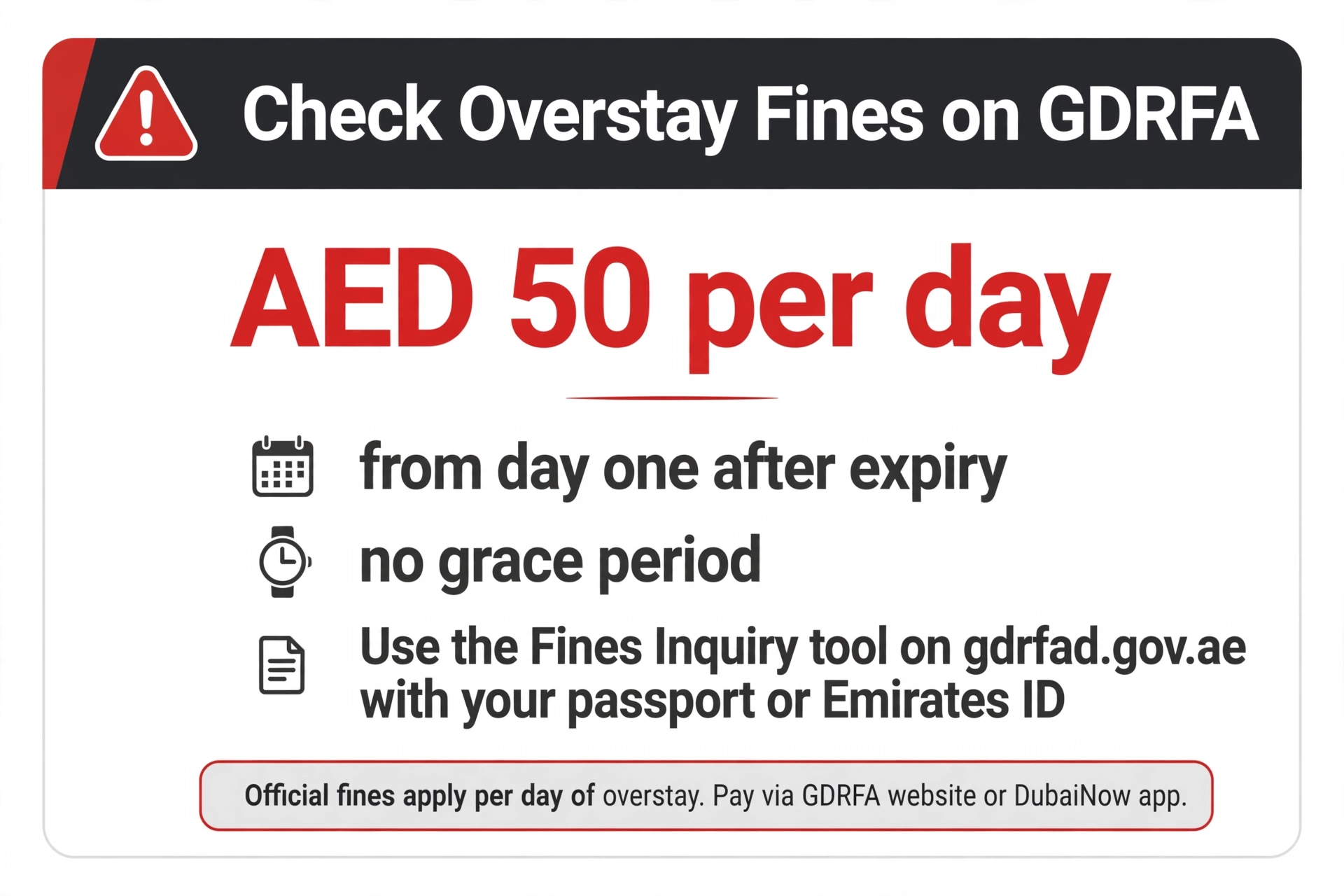
The homepage’s Fines Inquiry tool lets you check any fines against you with your passport number or Emirates ID. Overstay fines are AED 50 per day from the first day after expiry, with no grace period — so run this check before the numbers grow.
Need Help? Amer Is One Call Away
- Inside the UAE: 800 5111
- Outside the UAE: +971 4 313 9999
Amer — GDRFA’s customer service arm — can clarify stuck applications, returned transactions, and record mismatches that the online tools cannot resolve. Amer centres also handle in-person inquiries across Dubai.
Check on Your Phone: The GDRFA Dubai App
Prefer a phone to a desktop browser? The GDRFA Dubai app (iOS and Android) carries the same inquiry tools:
- Open the app and tap Services.
- Select Entry Permit / Residence Status, then Residence Inquiry.
- Enter your details — visa code, first name, nationality and date of birth.
- Double-check every field and tap Inquiry.
DubaiNow, the city’s all-in-one government app, also includes visa inquiries for Dubai-issued visas.
When You Need to Visit in Person
Some cases hit a dead end online and need a human:
- Rejected visa renewal or a record mismatch the portal cannot explain
- A travel ban or fine that shows no reason online
- “Returned” applications you cannot fix through the portal
GDRFA counters are open Monday–Thursday 06:30–15:00, Friday 06:30–12:00 (closed weekends), with branches including Al Manara, Al Twar, Dubai Festival City, Hatta, Al Aweer, and DXB Terminal 3. Take every document you might need — passport, visa copy, Emirates ID, payment receipts — because a second trip is the real time-waster. Amer centres across Dubai also handle GDRFA inquiries, and the 800 5111 line can clarify most issues before you travel anywhere.
How Often Should You Check?
Make the GDRFA check a habit at these moments:
- Before any international trip — a lapsed visa discovered at the airport is a cancelled holiday
- After each renewal — confirm the new expiry date registered correctly
- When switching jobs — verify the old visa is cancelled and the new one is issued
- Monthly, if you travel often — a two-minute check beats a surprise fine
Frequently Asked Questions
How do I do a GDRFA visa status check online?
Open gdrfad.gov.ae, select the Visa Status Inquiry service, choose a search method (passport + date of birth, file number, application number, or Emirates ID), enter your details, complete the captcha and search. The check is free.
Can I do a GDRFA visa status check by passport number?
Yes — choose the passport search option and enter your passport number, nationality and date of birth. You can also use the Unified Number Inquiry service to find your unified number first.
Where do I find my file number or transaction number?
Your file number is printed on your UAE residence visa document. The transaction number and payment date are on the payment receipt issued when the application fee was paid — ask your Amer centre, typing centre or employer for a copy if they applied for you.
What does “returned” mean on my GDRFA application status?
It means the application needs something before a decision — usually a document, a clearer scan, or a corrected field. It is not a refusal: read the stated reason, fix only that item, and resubmit the same application.
My GDRFA status says “approved” — am I a resident now?
Approved means immigration has cleared your application, but the visa is not yet formally issued. Wait until the status shows Issued or Valid before you consider yourself resident or book travel.
Why doesn’t my Dubai visa appear on the ICP portal?
Dubai runs its own immigration authority. Dubai-issued visas live only in GDRFA’s system — they will never appear on smartservices.icp.gov.ae, which covers the other six emirates.
How do I check overstay fines in Dubai?
On the GDRFA homepage, open the Fines Inquiry tool and enter your passport number or Emirates ID. Fines are AED 50 per day from the first day after expiry.
Do I need an account to use the GDRFA visa status check?
No. The inquiry tools work without a login. You only need an account for applying for services, tracking applications, or paying fines.
More visa-status guides: UAE Visa Status: Full Guide · Check by Passport Number · ICP Smart Services Check · In Dubai? Nol Card for Tourists · Metro Airport Guide
Pingback: Check UAE Visa Status by Emirates ID
Pingback: UAE Visa & Travel Ban Status Check
Pingback: UAE Golden Visa Status Check (2026)
Pingback: Emirates ID Fine Check Online: Full Guide