










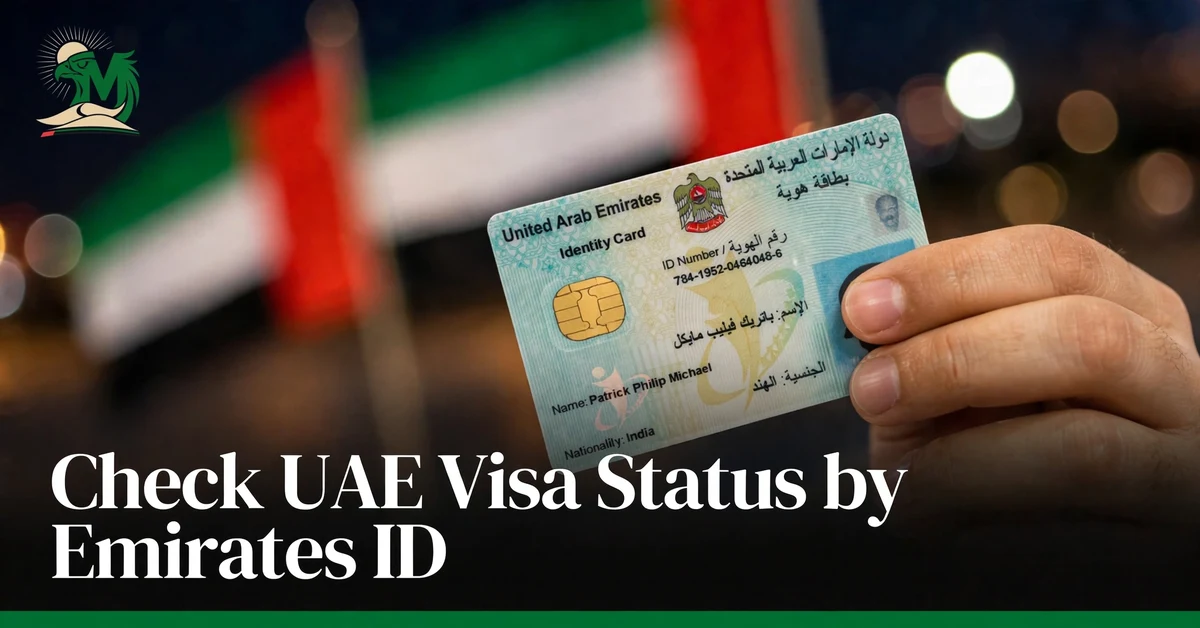
No passport at hand? No problem. Your 15-digit Emirates ID number is enough to check your UAE visa status by Emirates ID — no passport number, expiry date or file number needed. The ICP Smart Services “File Validity” service accepts your Emirates ID as a search identifier, and GDRFA Dubai lets you search by Emirates ID for Dubai-issued visas.
This guide walks through the exact steps for both portals, explains how your visa file number works, and covers the common reasons an Emirates ID search returns nothing. Both checks are free on the official portals.
Related: the visa status check by passport number, the general UAE visa status check, and the residence visa status check. Travelling on a tourist visa instead? See the Dubai visit visa status check — and if your visa may already have expired, check your overstay fine before you travel.
| What you need | Your 15-digit Emirates ID number only — no passport, no file number |
| Where to check | ICP File Validity for visas issued outside Dubai; GDRFA for Dubai-issued visas |
| Cost | Free on the official portals — always |
| What it shows | File number, visa type, status, issue date and expiry date |
| Most common error | Searching a Dubai-issued visa on ICP (or a non-Dubai visa on GDRFA) — the other portal returns nothing |
Check It Free on the Official Portals
No website — including this one — can see your live visa record. Only the UAE’s official portals hold it, and checking there is always free. Anyone charging you for a “visa check” is running a scam, so go straight to the source:
- ICP Smart Services — File Validity (smartservices.icp.gov.ae) covers visas issued in Abu Dhabi, Sharjah, Ajman, Umm Al Quwain, Ras Al Khaimah and Fujairah. Open Public Services → File Validity, choose your search type, enter your details and complete the captcha.
- GDRFA Dubai — Visa Status Inquiry (gdrfad.gov.ae) covers Dubai-issued visas only. Open the visa status service, pick a search method (file number, passport or application number) and enter your details.
- u.ae — Track a Visa Application is the UAE Government Portal’s own page. It routes you to the correct federal service for your application.
The two walkthroughs below follow these official portals step by step. Open the right one alongside this guide and the check takes about two minutes.
Why Check by Emirates ID?
- No passport needed — handy when your passport is at the embassy, with your employer, or simply in a drawer at home.
- Fewer fields, fewer typos — one number instead of passport number + expiry date + nationality.
- Works for residents — your Emirates ID number is permanently linked to your immigration file.
- Ban and fine checks too — the same ID number powers travel ban checks on the Dubai Police app and fine inquiries.
Method 1: ICP File Validity (All Emirates Except Dubai)
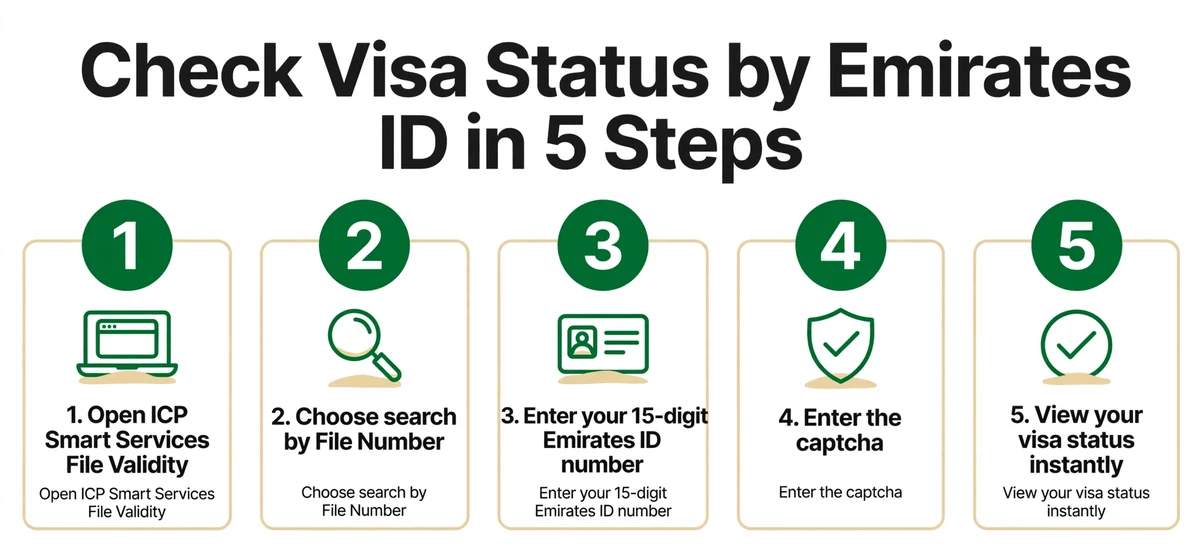
- Go to smartservices.icp.gov.ae and open Public Services → File Validity.
- Under “Search By”, choose File Number.
- Select your record type: Residency (residence visa) or Visa (entry/visit permit).
- For the file type, choose the Emirates ID Number option.
- Enter your 15-digit Emirates ID number (the 784-XXXX-XXXXXXX-X number on the front of your card — enter it without dashes if the field asks).
- Tick the captcha and click Search.
Your visa details appear: file number, visa type, status, issue and expiry dates. For the full portal walkthrough, see our ICP Smart Services visa status guide.
Method 2: GDRFA (Dubai-Issued Visas)
- Go to gdrfad.gov.ae and select Visa Status. Direct smart portal: smart.gdrfad.gov.ae
- Choose the Emirates ID search option — the portal also offers search by passport + date of birth + nationality, or by file number.
- Enter your 15-digit Emirates ID number (and any other requested fields), complete the captcha.
- Click Submit to view your status.
- Your result appears instantly — file number, visa type, status, and validity dates.
GDRFA also hosts a Fines Inquiry tool on the same homepage, handy for checking overstay fines with your passport number or Emirates ID. If your entry permit has expired, call the Amer service centre on 800 5111.
Our GDRFA Dubai visa status check guide has the full Dubai walkthrough.
How to Read Your Visa File Number
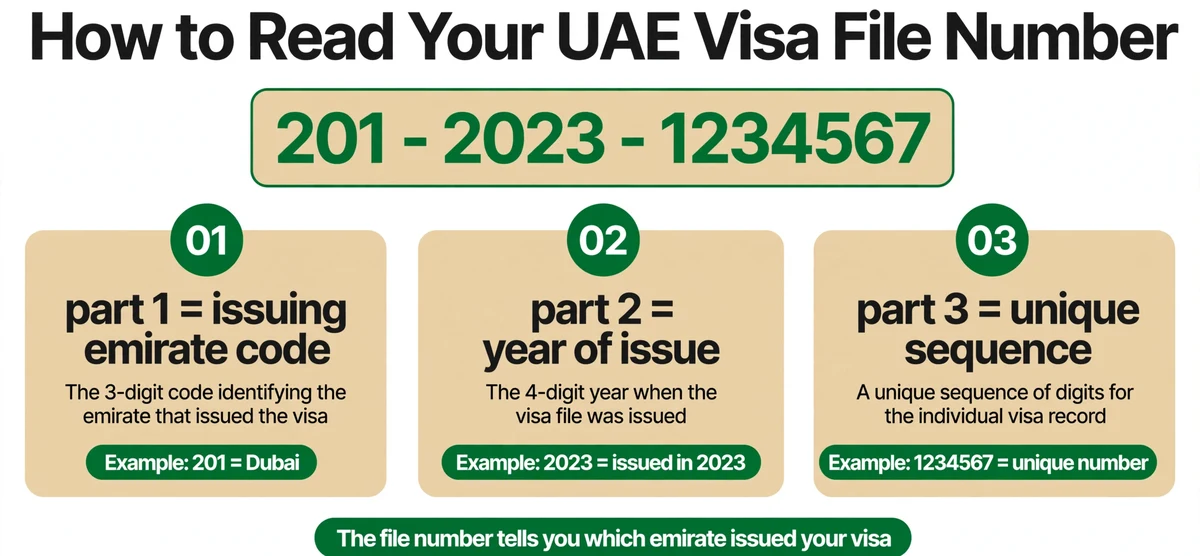
Once your record appears, you’ll see a file number (also called the UID number). It isn’t random — it’s structured in parts:
| Part | Meaning | Example |
|---|---|---|
| First part | Issuing emirate / department code | 201 = Dubai |
| Second part | Year the file was issued | 2023 |
| Third part | Your unique sequence number | 1234567 |
Why does this matter? The emirate code tells you which portal owns your record — handy when you’re unsure whether to use ICP or GDRFA, or when checking a visa cancellation status.
Emirates ID vs Passport Search: Which Is Better?
Both work on ICP File Validity — pick whichever document is closest:
| Emirates ID search | Passport search | |
|---|---|---|
| What you type | One 15-digit number | Passport number + expiry date + nationality |
| Best when | Passport is with your employer, at an embassy, or renewed | You have your passport in hand (or no Emirates ID, e.g. tourists) |
| Typo risk | Low — single field | Higher — three fields must match exactly |
| Shows | Identical result — visa type, status, issue/expiry dates, file number | Identical result |
In practice, residents reach for the Emirates ID method and visitors use the passport method. Either way, the record you get back is the same — and free.
When the Emirates ID Search Returns Nothing
- Wrong portal: Dubai-issued visas live on GDRFA, not ICP. Check your file number’s emirate code.
- Wrong record type: “Residency” vs “Visa” matters on ICP — picking the wrong one returns no record even when it exists.
- Digit errors: the ID has 15 digits; one wrong digit means no match. Type carefully.
- New card, old record: if you just renewed your Emirates ID, the visa record may briefly lag — retry in 24–48 hours.
- Visit visa holders: tourists on short visit visas may not have an Emirates ID at all — use the passport number method instead.
Other Things Your Emirates ID Unlocks
Your Emirates ID number is the master key to your UAE records:
- Visa validity & cancellation — this guide, plus our cancellation status check
- Golden Visa tracking — check your Golden Visa with the same ID
- Travel bans — Dubai Police app checks bans by Emirates ID (ban status guide)
- Fines — overstay and traffic fine inquiries accept the ID number
Last updated: November 2026. Portal menus change — if “File Validity” has moved, use the ICP portal search bar to find it.
What Your Visa Status Result Means
Once the search succeeds, the portal shows one of these statuses. Here is what each one means and what to do next:
| Status shown | What it means | What to do next |
|---|---|---|
| Issued / Valid | Your visa is active and legally in force. | Note the expiry date. No action is needed until renewal is due. |
| Approved | Immigration has approved the application, but the visa is not formally issued yet. | Wait until the status flips to Issued before you travel or start work. |
| Under process | The application is still being reviewed. | Re-check in a day or two. Do not submit a duplicate application. |
| Expired | The visa has lapsed. | Renew, change status or exit. Overstay fines of AED 50 per day apply once any grace period ends. |
| Cancelled | Your sponsor or employer has cancelled the visa. | You have a limited grace period to arrange a new visa or leave. The portal shows your exact last day. |
| No record found | The portal holds no matching file. This is usually the wrong portal or a typing error — not a cancelled visa. | Switch between ICP and GDRFA, re-check every digit, and allow 24–48 hours for a brand-new visa to sync. |
Common Errors and Fixes
- Wrong search type selected: in ICP File Validity, set the file type to Emirates ID Number. Leaving it on “File Number” and typing your ID returns nothing.
- Dubai visa searched on ICP: Dubai files live only in GDRFA. If your visa was issued in Dubai, repeat the search there before assuming anything is wrong.
- Brand-new Emirates ID: a freshly issued ID can take 24–48 hours to link to your immigration file. Wait a day and search again.
- Typing errors: the number is 15 digits and starts with 784. One wrong digit returns “no record found” even for a valid visa.
Frequently Asked Questions
How do I check my UAE visa status using my Emirates ID number?
Go to ICP Smart Services → File Validity, choose “File Number” search, pick the Emirates ID Number file type, enter your 15-digit ID, complete the captcha and click Search. For Dubai visas, use GDRFA → Visa Status with the Emirates ID option.
Can I check my visa status without my passport?
Yes. Your 15-digit Emirates ID number works as a standalone search identifier on both ICP and GDRFA — no passport number or expiry date required.
What is my UAE visa file number / UID number?
It’s your immigration file reference, structured in parts: emirate code – year of issue – unique sequence (e.g. 201/2023/1234567). It appears on your visa and in File Validity results, and its emirate code tells you whether ICP or GDRFA owns your record.
Why does my Emirates ID show “No Record Found”?
Usually one of four things: wrong portal (Dubai visas are on GDRFA, not ICP), wrong record type (Residency vs Visa), a typo in the 15 digits, or the record is still syncing (retry in 24–48 hours).
Can tourists check visa status by Emirates ID?
No — short-term visit visa holders don’t get an Emirates ID. Tourists should use the passport number method on ICP File Validity instead.
Is the Emirates ID visa status check free?
Yes — on the official ICP and GDRFA portals. Never pay a third-party website to “verify” your visa with your Emirates ID number.
Can I check someone else’s visa status with their Emirates ID?
The portals don’t verify ownership, so technically a valid ID number returns a record — but you should only check your own or your dependents’ records. Misusing someone else’s identity details can have legal consequences.
Can I check my visa status by Emirates ID if my visa was issued in Dubai?
Yes. Dubai-issued visas are held by GDRFA rather than ICP, and the GDRFA visa status service also accepts an Emirates ID search. If the ICP File Validity search returns nothing for a Dubai visa, that is expected — repeat the check on gdrfad.gov.ae instead.
Keep exploring the UAE visa status cluster: Check Visa Status UAE · GDRFA Dubai Visa Status Check · ICP Smart Services Visa Status · Check by Passport Number · Visa Cancellation Status Check · Golden Visa Status Check · Visa & Travel Ban Status Check




One thought on “Check UAE Visa Status by Emirates ID”
Comments are closed.