
The Nol Pay app is RTA’s official app for managing your Dubai Nol card — and it’s the only top-up method that writes credit to your card instantly, with no activation wait. With 1M+ downloads, it handles NFC top-ups, balance checks, auto top-up, family cards, travel passes, and digital Nol cards.
Download the Nol Pay App
| Platform | Where to get it | Requirements |
|---|---|---|
| Android | Google Play Store (developer: Roads & Transport Authority) | Android 9.0+, NFC for tap features |
| iPhone | Apple App Store | iOS with NFC (iPhone 7 and later) |
| Huawei | HUAWEI AppGallery | Huawei Wallet for digital Nol card |
The app is free, works in English and Arabic, and you can use most features as a guest (mobile number + OTP). For the full feature set, sign in with UAE Pass or your RTA account.
Feature 1: Instant NFC Top-Up (The Killer Feature)
Every other online top-up method leaves your money as pending credit (45 min–4 h wait + manual activation). Nol Pay’s NFC top-up writes the balance directly onto the card chip — instant, no activation step.
- Open the Nol Pay app and tap “Top Up Nol Card”.
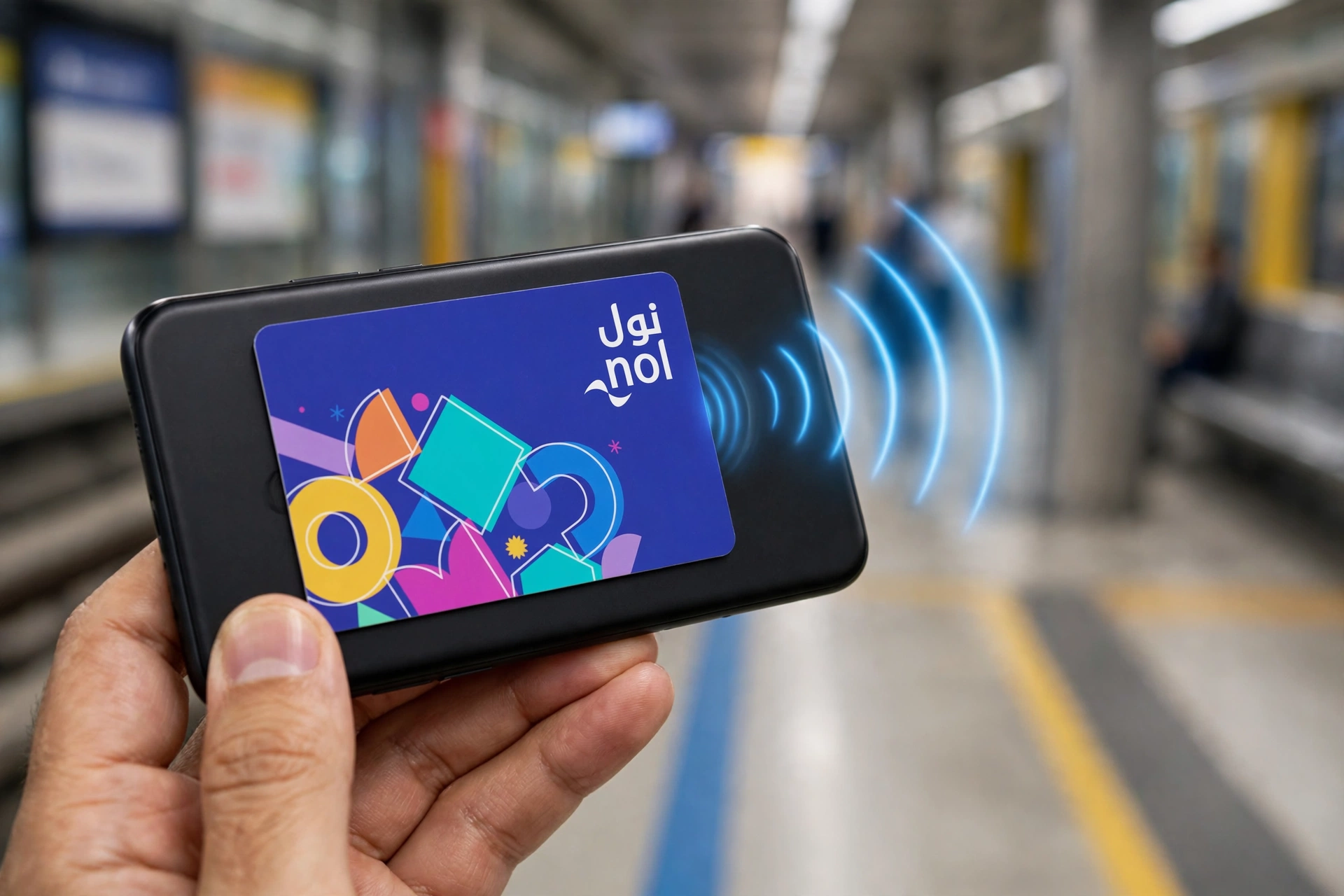
- Hold your physical Nol card flat against the back of your phone until the app reads it.
- Enter the amount (max AED 150 per transaction).
- Pay by debit/credit card in the secure portal.
- Hold the card to the phone again — the app writes the new balance. Done — live immediately.
Feature 2: Balance Check in Seconds
Tap “Check Card Info”, hold your card to the phone’s NFC spot — the app shows balance, card type, expiry date, and pending credit instantly. No NFC? Enter the 10-digit Tag ID manually. (All 7 methods in our Nol card balance check guide.)
Feature 3: Auto Top-Up (Never Get Stranded)
Schedule automatic top-ups between AED 20–500 per day: when your balance drops below your threshold, the app recharges from your saved card automatically. Set it under Recharge Settings after signing in.
Feature 4: Family Card Management
Link family members’ Nol cards — apply for children’s cards, recharge individual balances, and schedule automatic top-ups per card. One app, whole household.
Feature 5: Transaction History
Every tap in/out, top-up, and pass purchase is logged under Check Card Info → History — useful for spotting a forgotten tap-out (charged at maximum fare) or disputing a charge.
Feature 6: Buy & Renew Travel Passes
Purchase 7-day, 30-day, and annual travel passes straight from the app. For a physical card, tap the card to the phone via NFC once more to write the pass onto it. (Full breakdown in our monthly pass & fares guide.)
Feature 7: Apply, Renew & Protect Your Card
- Apply for a Blue Personal card (or renew) with UAE Pass.
- Register an anonymous Silver/Gold card to raise its ceiling from AED 1,000 to AED 5,000.
- Report a lost or damaged card — registered cards can be blocked and balance transferred.
Feature 8: Digital Nol Card (Phone as the Card)
On compatible Samsung phones (Samsung Wallet + Nol Pay) and Huawei phones (Huawei Wallet), create a digital Nol card and tap your phone at gates. Top-ups are instant.
Nol Pay vs Other Top-Up Methods
| Method | Min top-up | Speed | Needs activation? |
|---|---|---|---|
| Nol Pay app (NFC) | AED 5 | Instant | No — written directly |
| RTA website / RTA Dubai app | AED 5 | 45 min – 4 h | Yes |
| Ticket vending machine | AED 20 | Instant | No |
| Ticket office | AED 50 | Instant | No |
Full comparison in our Nol card recharge guide.
Honest Take: App Rating & Limitations
The Nol Pay app holds around a 3.2-star rating on Google Play with 1M+ downloads — users love the instant NFC top-up but report occasional NFC read failures. It’s still the fastest top-up method in Dubai by a wide margin.
Watch: Nol Card & Digital Wallets Explained
Last updated: October 2026. App features evolve with RTA updates.
Frequently Asked Questions
What is the Nol Pay app?
RTA’s official app for managing Dubai Nol cards — instant NFC top-ups, balance checks, auto top-up, family cards, transaction history, travel passes, and digital Nol cards. Free on iOS, Android, Huawei.
How do I top up my Nol card with the Nol Pay app?
Tap “Top Up Nol Card”, hold the card flat to the phone’s NFC spot, enter amount (max AED 150), pay, hold the card to the phone again. Instant — no activation wait.
Is the Nol Pay app free to download?
Yes — App Store, Google Play, HUAWEI AppGallery. Android 9.0+ or recent iOS; NFC needed for tap features.
Can I check my Nol card balance without NFC?
Yes — enter the 10-digit Tag ID manually in “Check Card Info”.
What is auto top-up in the Nol Pay app?
Automatic recharges of AED 20–500 per day when balance drops below your threshold, including per-card schedules for family cards.
Can I add my Nol card to Apple Wallet?
Not currently. Digital Nol cards work on Samsung (Samsung Wallet) and Huawei phones only. iPhone users get NFC top-ups and balance checks on physical cards.
Does the Nol Pay app work for tourists?
Yes — guest mode (mobile + OTP) for balance checks and NFC top-ups. No UAE ID needed; only registered-card features need Emirates ID.
How do I manage my family’s Nol cards in the app?
Sign in with UAE Pass → Family tab → link each card. Recharge balances, deactivate lost cards, schedule auto top-ups per card.
What should I do if I lose my Nol card?
Registered/Blue card: report lost in the app — RTA blocks it and transfers balance. Unregistered: cannot be recovered.
Why is my NFC tap not reading the card?
Remove thick cases, hold the card flat and steady at the NFC spot, confirm NFC is enabled. Or use manual Tag ID entry.
Keep exploring the Nol cluster: Nol Card Balance Check · Nol Card Recharge · Nol Card Types & Prices · Minimum Balance · Digital Nol Card