










Check your UAE visa status online in minutes on the official ICP or GDRFA portals: ICP for visas issued in any emirate except Dubai, and GDRFA for Dubai-issued visas. You can check by passport number or Emirates ID — see also our guides on UAE visa expiry and overstay fines.
The catch is that the UAE runs two separate immigration portals: one for Dubai-issued visas, and one for every other emirate. Use the wrong one and you will see “no record found” even though your visa is perfectly fine. This guide walks you through both, step by step, so you always land on the right check.
Check It Free on the Official Portals
No website — including this one — can see your live visa record. Only the UAE’s official portals hold it, and checking there is always free. Anyone charging you for a “visa check” is running a scam, so go straight to the source:
- ICP Smart Services — File Validity (smartservices.icp.gov.ae) covers visas issued in Abu Dhabi, Sharjah, Ajman, Umm Al Quwain, Ras Al Khaimah and Fujairah. Open Public Services → File Validity, choose your search type, enter your details and complete the captcha.
- GDRFA Dubai — Visa Status Inquiry (gdrfad.gov.ae) covers Dubai-issued visas only. Open the visa status service, pick a search method (file number, passport or application number) and enter your details.
- u.ae — Track a Visa Application is the UAE Government Portal’s own page. It routes you to the correct federal service for your application.
The two methods below follow these official portals step by step. If you are travelling on a tourist visa, our Dubai visit visa status check walks through the visitor-specific steps.
Which Portal? ICP vs GDRFA at a Glance
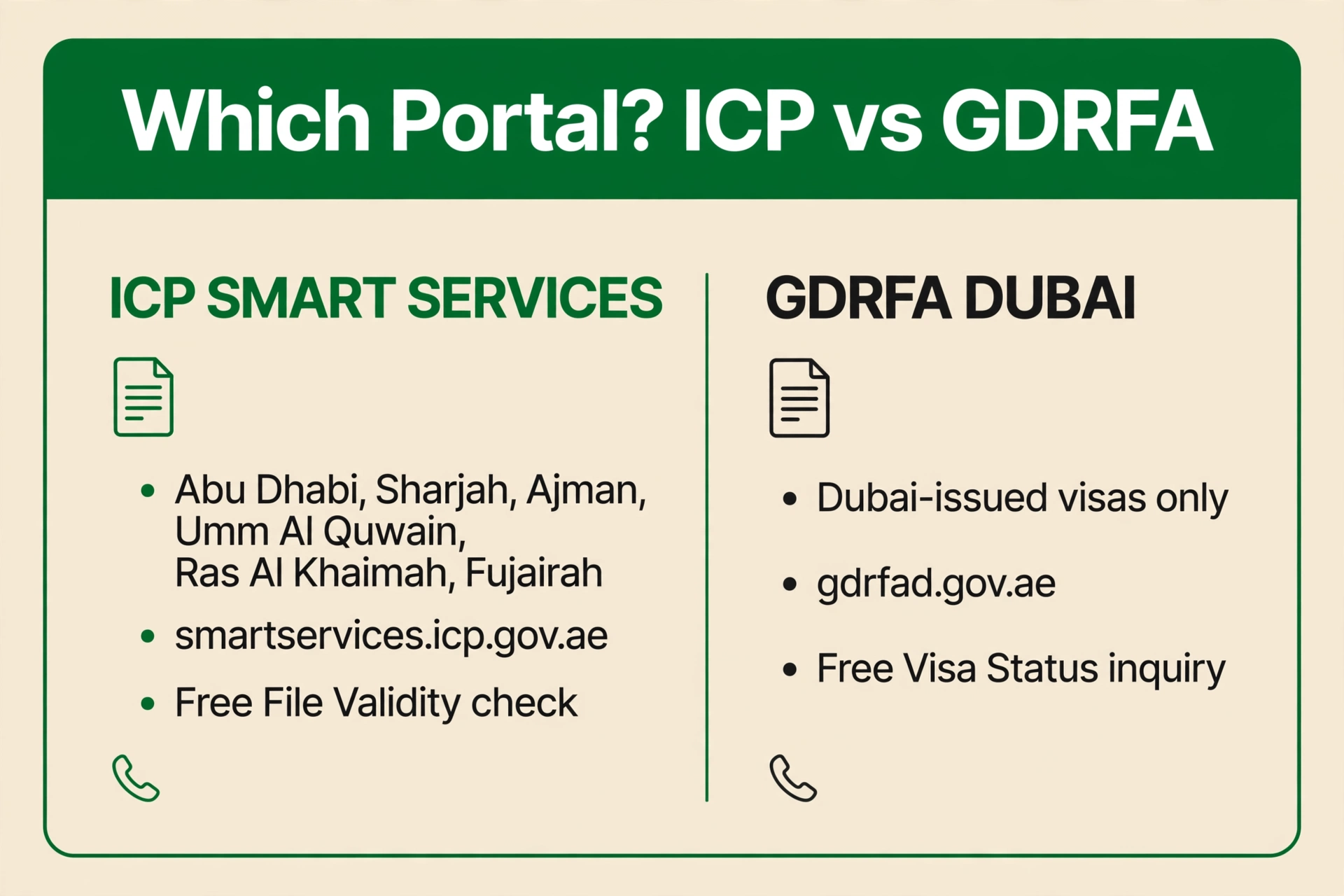
This is the single most important decision in the whole process. The rule is simple: it depends on which emirate issued your visa, not where you live or where you are travelling.
| ICP Smart Services | GDRFA Dubai | |
|---|---|---|
| Covers | Abu Dhabi, Sharjah, Ajman, Umm Al Quwain, Ras Al Khaimah, Fujairah | Dubai only |
| Website | smartservices.icp.gov.ae | gdrfad.gov.ae / smart.gdrfad.gov.ae |
| Service name | File Validity | Visa Status Inquiry |
| Search by | Passport information or file number | Passport + date of birth + nationality, file number, or Emirates ID |
| Cost | Free | Free |
| Helpline | 600 52 2222 | 800 5111 (Amer) |
Method 1: Check via ICP Smart Services (All Emirates Except Dubai)
ICP — the Federal Authority for Identity, Citizenship, Customs & Port Security — handles visas for six of the seven emirates. Its File Validity tool is the one to use:
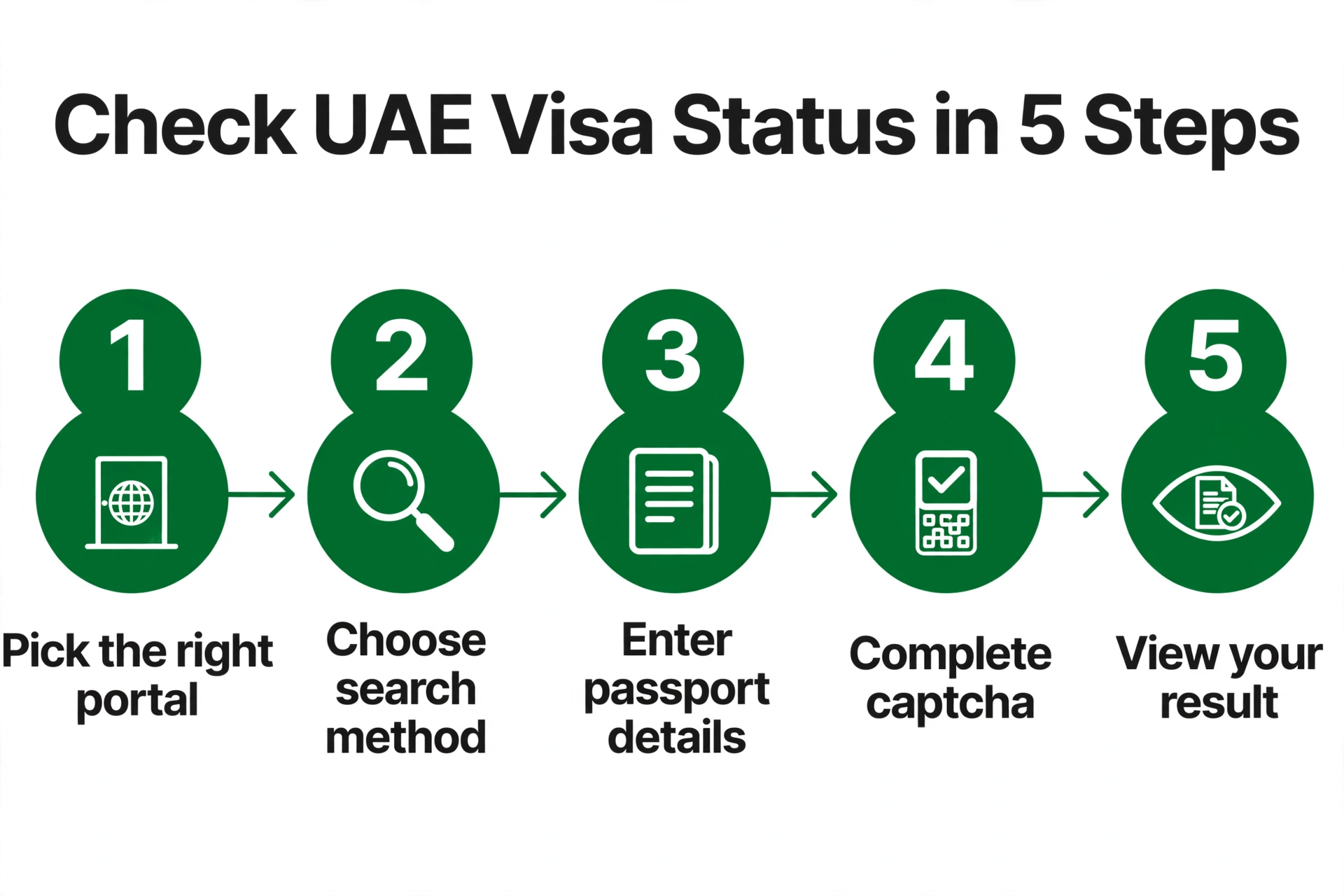
- Open smartservices.icp.gov.ae and look for the File Validity service.
- Choose your search method: Passport Information or File Number.
- Select the search type: Visa (for entry permits and visit visas) or Residency (for residence visas).
- Enter your details: passport number, passport expiry date, and nationality — exactly as printed in your passport.
- Complete the captcha and click Search.
- Read your result: status, visa type, issue date and expiry date appear instantly.
Method 2: Check via GDRFA Dubai (Dubai-Issued Visas)
If your visa or entry permit was issued in Dubai, use the GDRFA (General Directorate of Residency and Foreigners Affairs) portal at gdrfad.gov.ae:
- Open gdrfad.gov.ae and select Visa Status / Visa Status Inquiry. Direct smart portal: smart.gdrfad.gov.ae
- Choose a search method: by passport + date of birth + nationality, by file number, or by Emirates ID.
- Enter your details exactly as they appear on your passport.
- Complete the captcha and submit.
- Your result appears instantly — visa type, status, and validity dates.
GDRFA also hosts a Fines Inquiry tool on the same homepage, handy for checking overstay fines with your passport number or Emirates ID. Amer, GDRFA’s service arm, answers questions on 800 5111.
For the full step-by-step with screenshots, see our GDRFA Dubai visa status check guide and our ICP Smart Services guide.
Check by Emirates ID
If you are a UAE resident, you can also check your visa status using your Emirates ID. See our guide: https://uaemercury.com/check-uae-visa-status-by-emirates-id/
What Your Result Shows
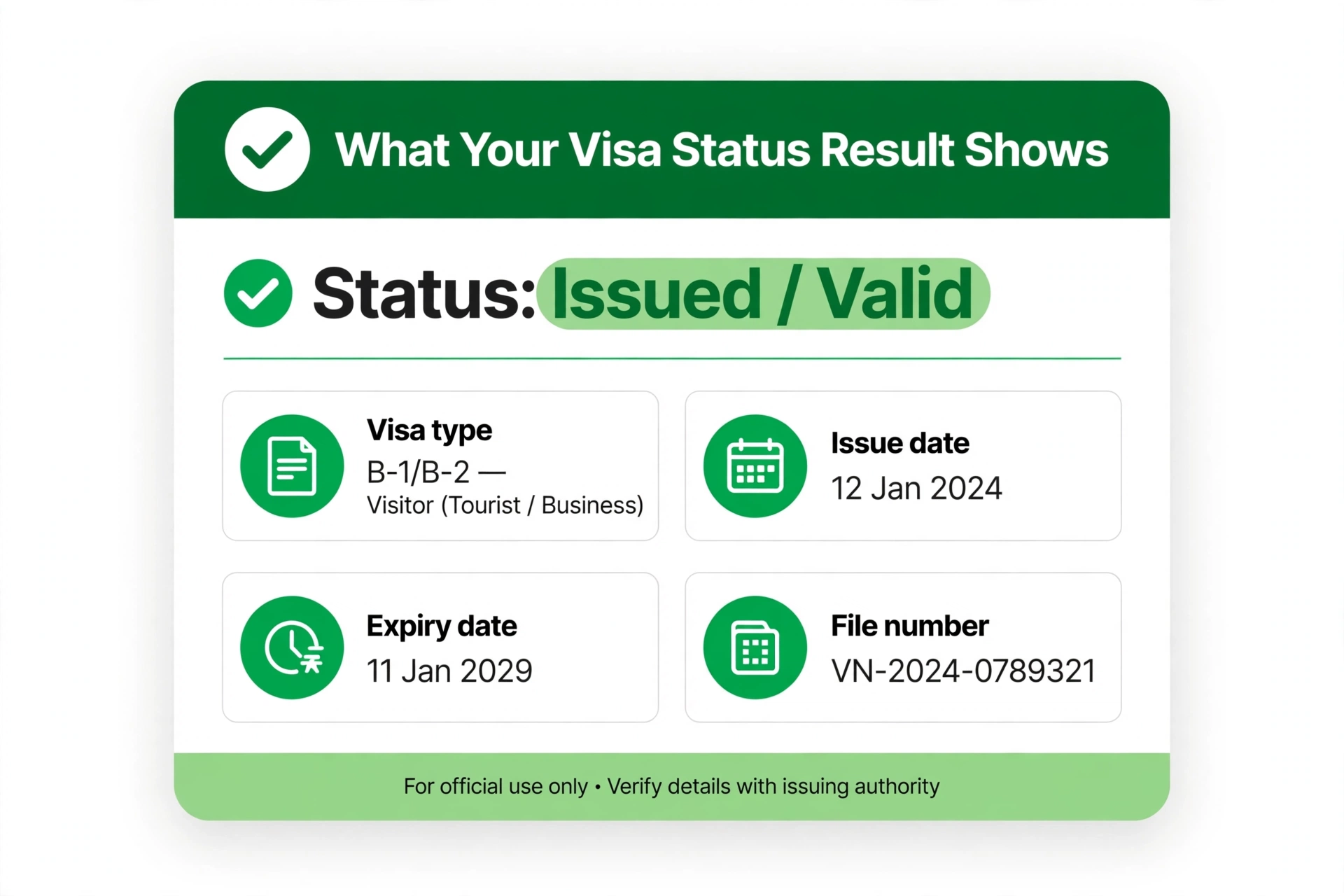
A successful check displays:
| What your result shows | What it means — and what to do next |
|---|---|
| Issued / Valid | Your visa is active and legally in force. Note the expiry date. No action is needed until renewal is due. |
| Approved | Immigration has approved the application, but the visa is not formally issued yet. Wait until the status flips to Issued before you travel or start work. |
| Under process | The application is still being reviewed. Re-check in a day or two. Do not submit a duplicate application. |
| Expired | The visa has lapsed. Renew, change status or exit. Overstay fines of AED 50 per day apply once any grace period ends. |
| Cancelled | Your sponsor or employer has cancelled the visa. You have a limited grace period to arrange a new visa or leave. The portal shows your exact last day. |
| No record found | The portal holds no matching file. This is usually the wrong portal or a typing error — not a cancelled visa. Switch between ICP and GDRFA, re-check every digit, and allow 24–48 hours for a brand-new visa to sync. |
| Visa type | tourist, visit, employment, family, and so on. |
| Issue date and expiry date | Plan renewals or extensions before the expiry date; overstay fines start at AED 50 per day. |
| File number | Useful for future inquiries. |
Last updated: 28 November 2026 — steps re-checked against the official ICP and GDRFA portals.
Checking from Your Phone: Official Apps
- UAEICP app — the ICP Smart Services app; check file validity on the go.
- GDRFA Dubai app — visa status and services for Dubai-issued visas.
- DubaiNow — Dubai’s all-in-one government app, includes visa inquiries.
- UAE Pass login — on ICP, signing in with UAE Pass is the fastest route for residents, pulling visa and Emirates ID details into one dashboard.
Warning: The Check Is Free — Scam Sites Are Not
“No Record Found”? Try This
- Check your typing — one wrong digit is the most common cause. Enter the passport number exactly as printed, including leading zeros.
- Wrong portal — Dubai visas live in GDRFA, not ICP, and vice versa.
- New visa not synced — a freshly issued visa can take 24–48 hours to appear in the online system.
- Visa vs Residency mix-up — on ICP, make sure you selected the right search type for your document.
Quick Pre-Check Checklist
Before you start, run through this 30-second checklist and the whole process will go smoothly:
- ✅ Know your issuing emirate — Dubai goes to GDRFA, everywhere else goes to ICP
- ✅ Have your passport open — copy every field character-for-character
- ✅ Pick Visa vs Residency correctly — entry permits and visit visas are Visa on ICP; residence visas are Residency
- ✅ Use the official portals only — gdrfad.gov.ae and smartservices.icp.gov.ae; never pay for the check
Watch: Video Walkthrough
A visual run-through of both portals:
Frequently Asked Questions
How do I check my UAE visa status online?
For Dubai-issued visas, use the GDRFA portal at gdrfad.gov.ae. For visas issued in any other emirate, use ICP Smart Services at smartservices.icp.gov.ae. Both checks are free and work from anywhere in the world.
Can I check my UAE visa status with just my passport number?
Yes. On ICP’s File Validity tool, choose Passport Information and enter your passport number, passport expiry date and nationality. On GDRFA, you can search by passport number together with your nationality and date of birth. See our dedicated passport-number check guide.
Which is the correct portal: ICP or GDRFA?
GDRFA (gdrfad.gov.ae) for visas issued in Dubai; ICP (smartservices.icp.gov.ae) for visas issued in Abu Dhabi, Sharjah, Ajman, Umm Al Quwain, Ras Al Khaimah or Fujairah. When in doubt, try both — the check is free.
Can I check my visa status from outside the UAE?
Yes. Both portals are accessible worldwide — no UAE SIM card, Emirates ID, VPN or UAE Pass account is required for a basic status check.
What does “Approved” vs “Issued” mean on my visa result?
Approved means immigration has cleared your application but the visa has not yet been formally issued. Issued (or Valid) means it is active and ready to use — wait for this before you travel.
Why does my check show “No Record Found”?
Usually a typo in your details, the wrong portal for your issuing emirate, or a brand-new visa that has not synced yet (allow 24–48 hours). Also check you selected Visa vs Residency correctly on ICP.
Is it free to check UAE visa status online?
Yes — both the ICP and GDRFA status checks are completely free on the official portals. Any site charging a fee for the check is not official.
How do I check my overstay fines in the UAE?
On the GDRFA homepage (gdrfad.gov.ae), open the Fines Inquiry tool and enter your passport number or Emirates ID. Overstay fines are AED 50 per day from the first day after expiry.
More visa-status guides: Check by Passport Number · GDRFA Dubai Check · ICP Smart Services




4 thoughts on “Check UAE Visa Status Online: Full Guide (2026)”
Comments are closed.